
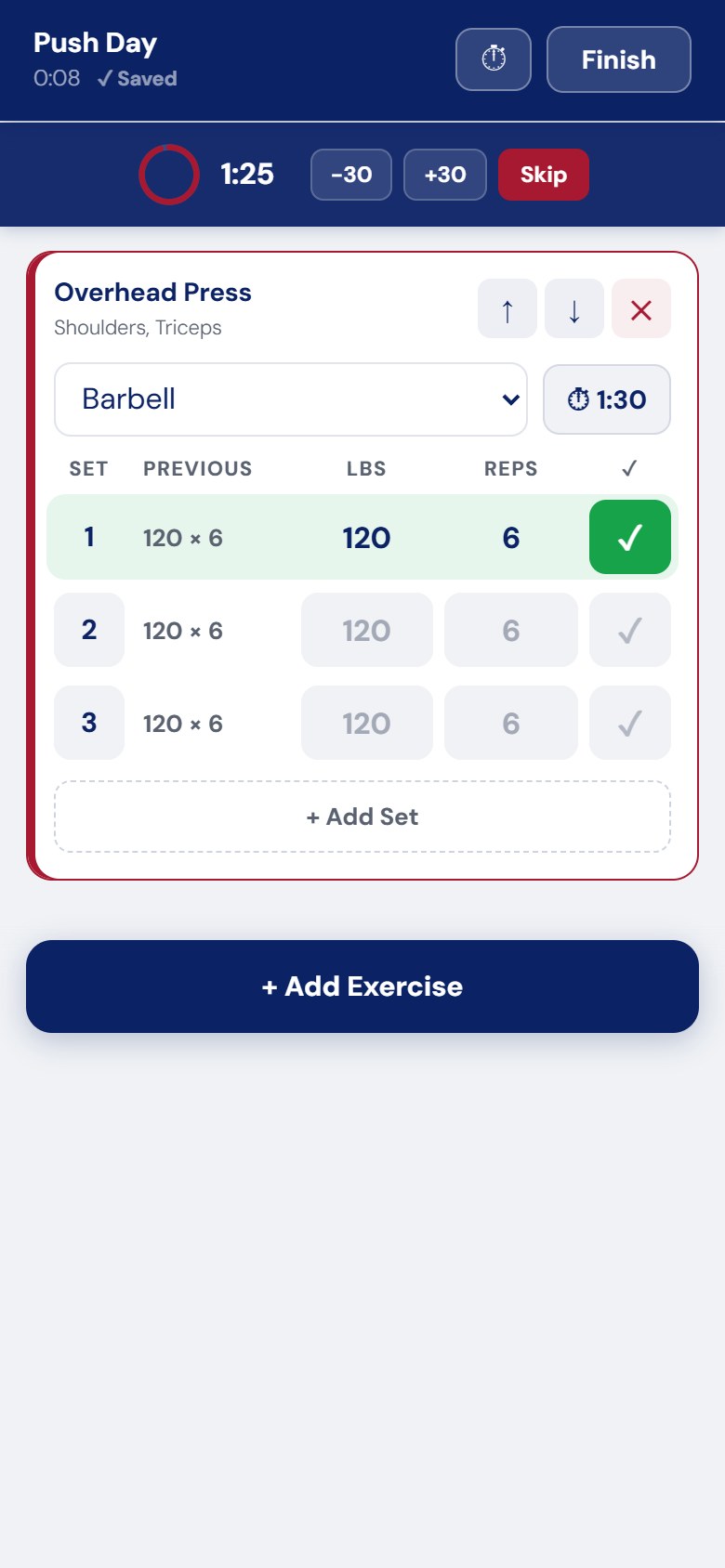
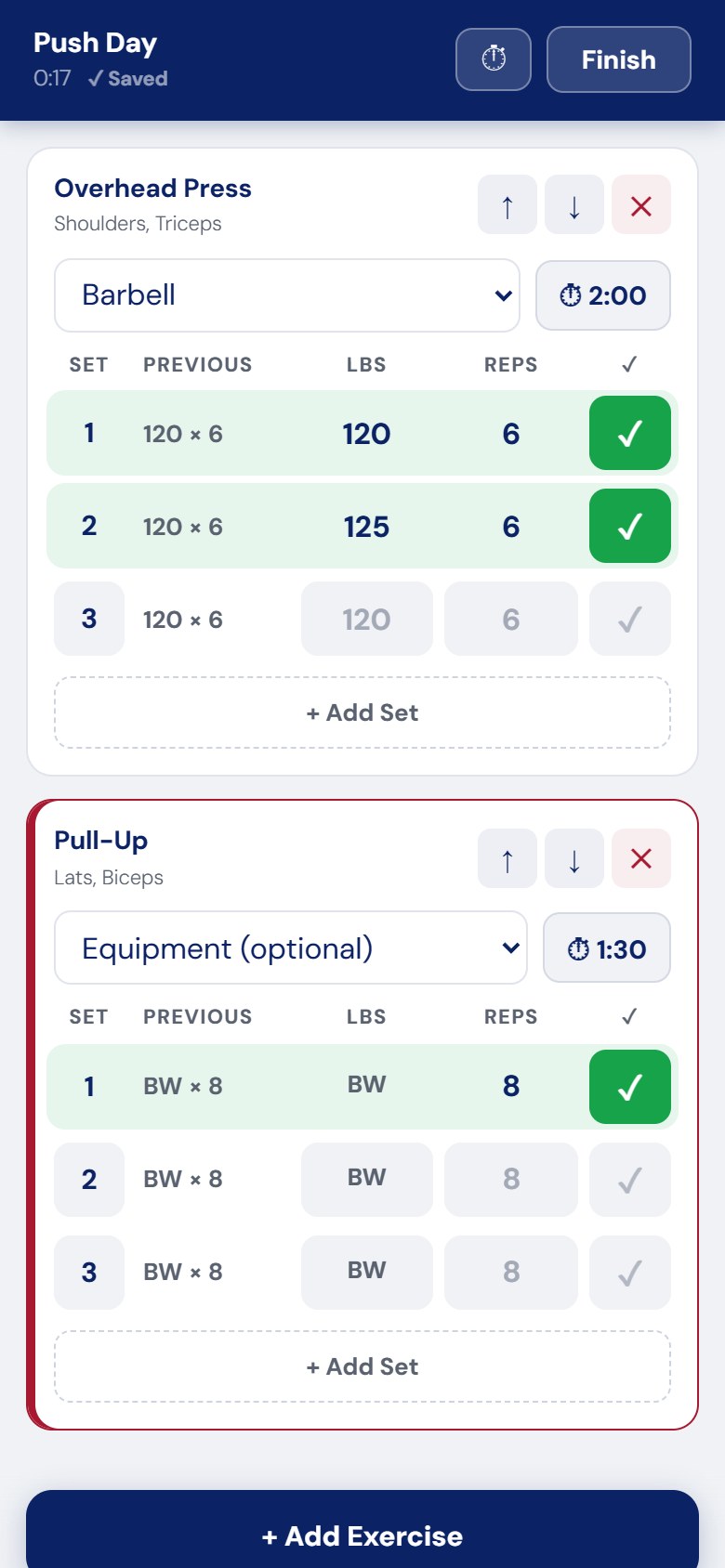
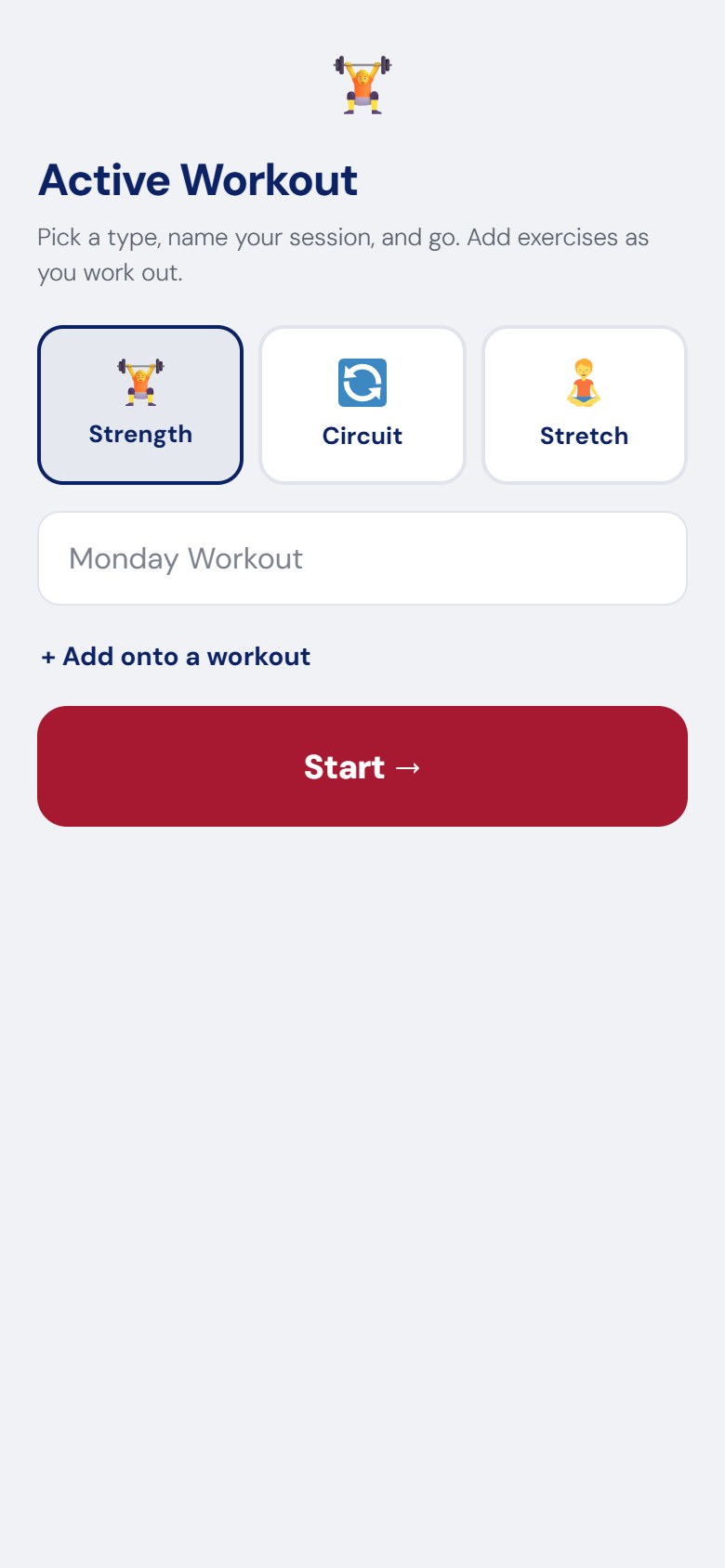
Gym mode for your phone. Every exercise is a simple set table with what you did last time; tap ✓ to log a set, the rest timer starts, and your journal entry is ready when you finish.
BUILT FOR THE GYM FLOOR
Active Workout opens a full-screen, app-like workout on your phone. No menus, no wp-admin – just your exercises, big buttons and a timer.
THE FASTEST WAY TO LOG A SET
- A set table for every exercise – Set · Previous · weight · reps · ✓.
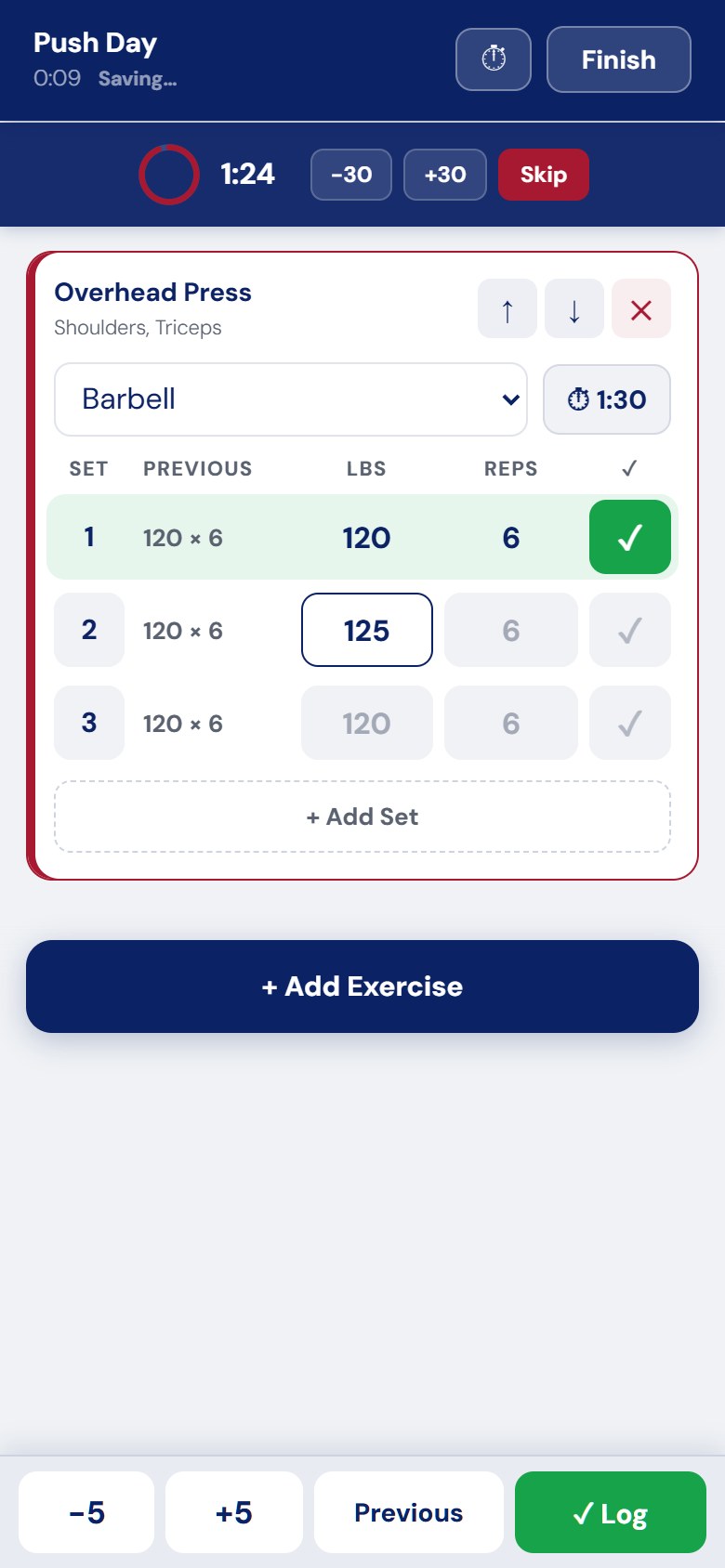
- Previous shows exactly what you lifted in that set last time, and the boxes are pre-filled with it in grey. Same as last time? Just tap ✓.
- +/− steppers above the keyboard to bump the weight (5 lb / 2.5 kg) or reps without typing.
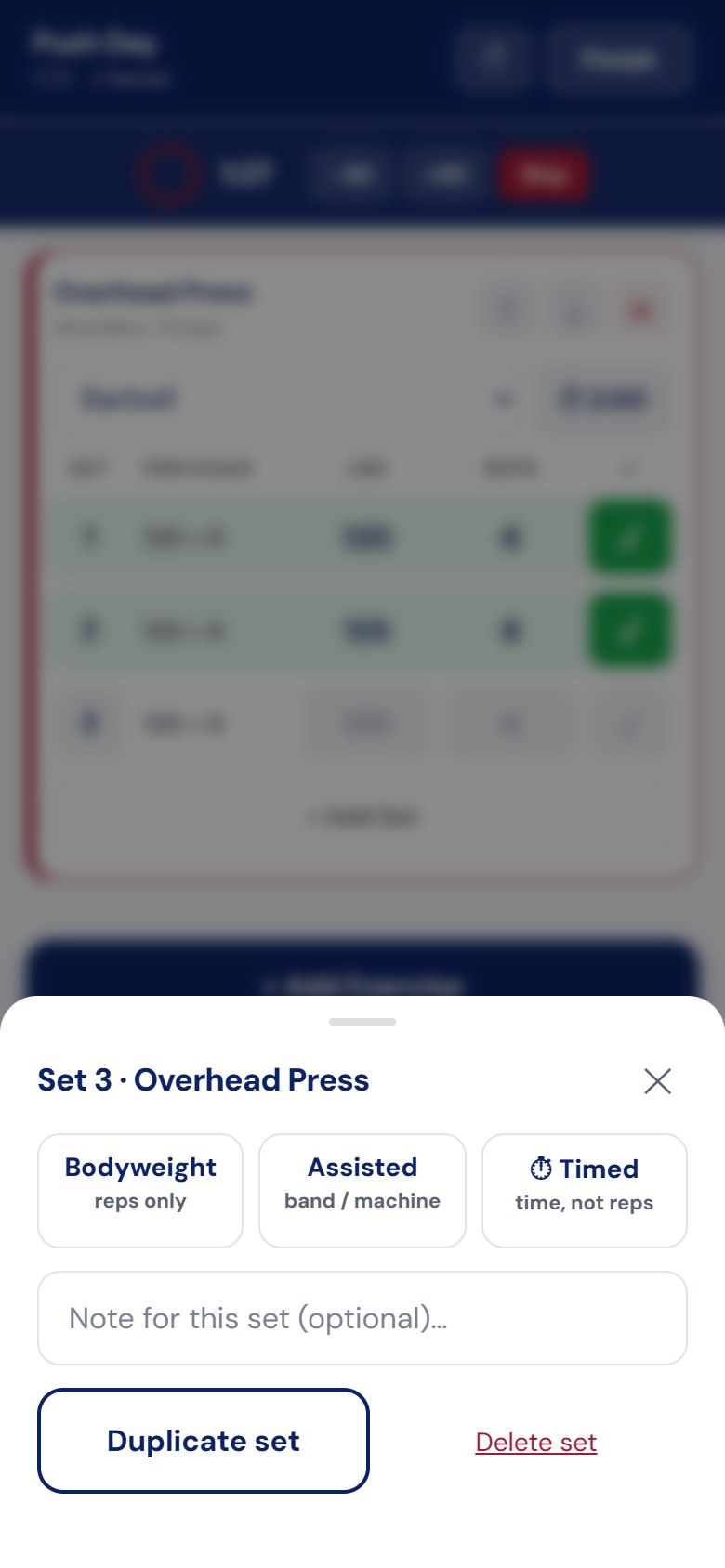
- Set options on the set number: bodyweight, assisted, timed, notes, duplicate, delete.
- A new exercise starts with as many sets as you did last time.
REST, DONE RIGHT
- The rest timer starts the moment you log a set, with ±30 seconds and Skip.
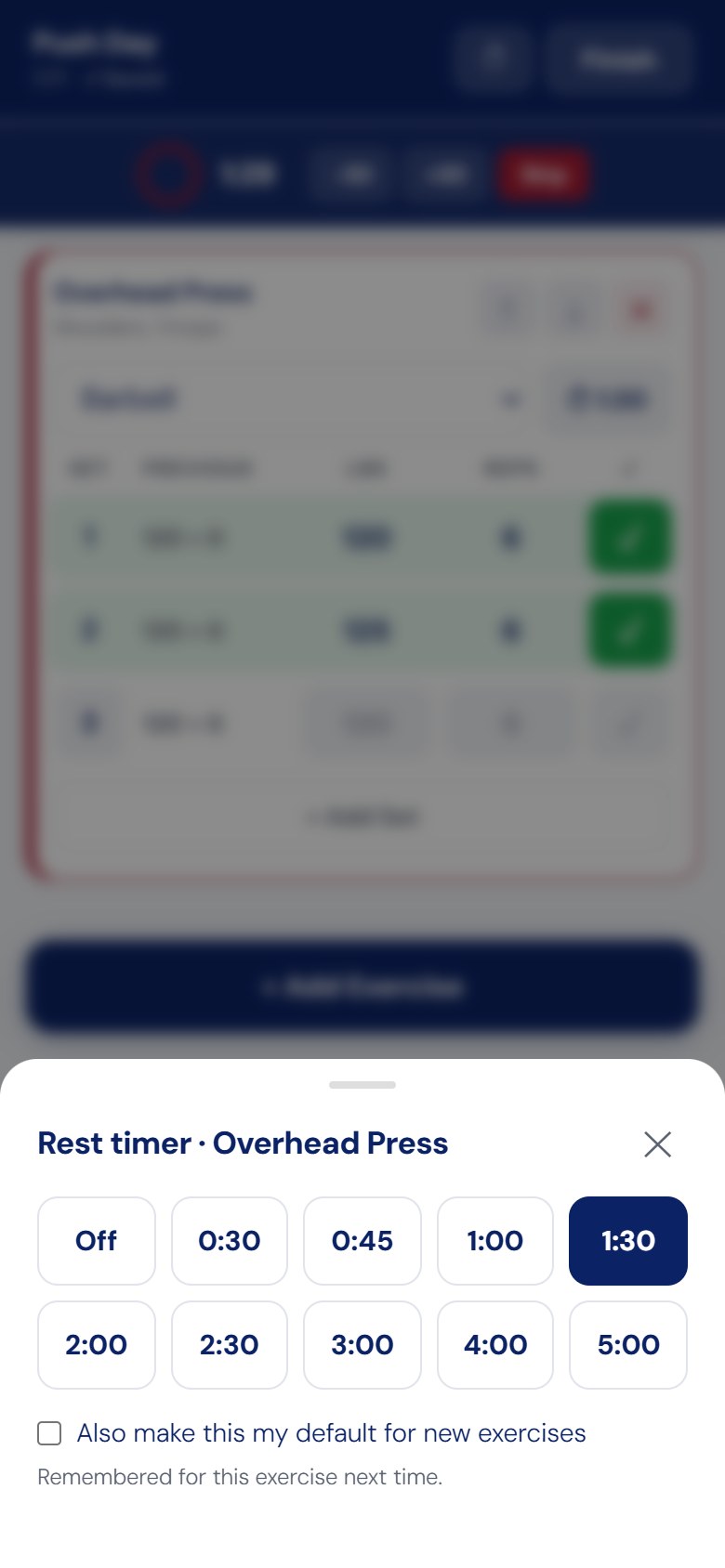
- Rest times per exercise, remembered for next time, with a default you choose.
- It keeps real time with your screen locked, chimes and vibrates when rest is over, and keeps your screen awake while you train.
NOTHING GETS LOST
- Every change saves as you go.
- Phone closed the tab? Reopen it and tap Resume Workout.
- No signal in the basement gym? Sets stay on your phone and upload when you reconnect.
SUPERSETS, CIRCUITS, STRETCHING AND PROGRAMS
- Supersets and circuits move you through the exercises in order, round by round.
- Stretching sessions log hold times and sides.
- Tap ⚡ Do Workout on any planned session – like today’s program day – to train it live.
FINISH STRONG
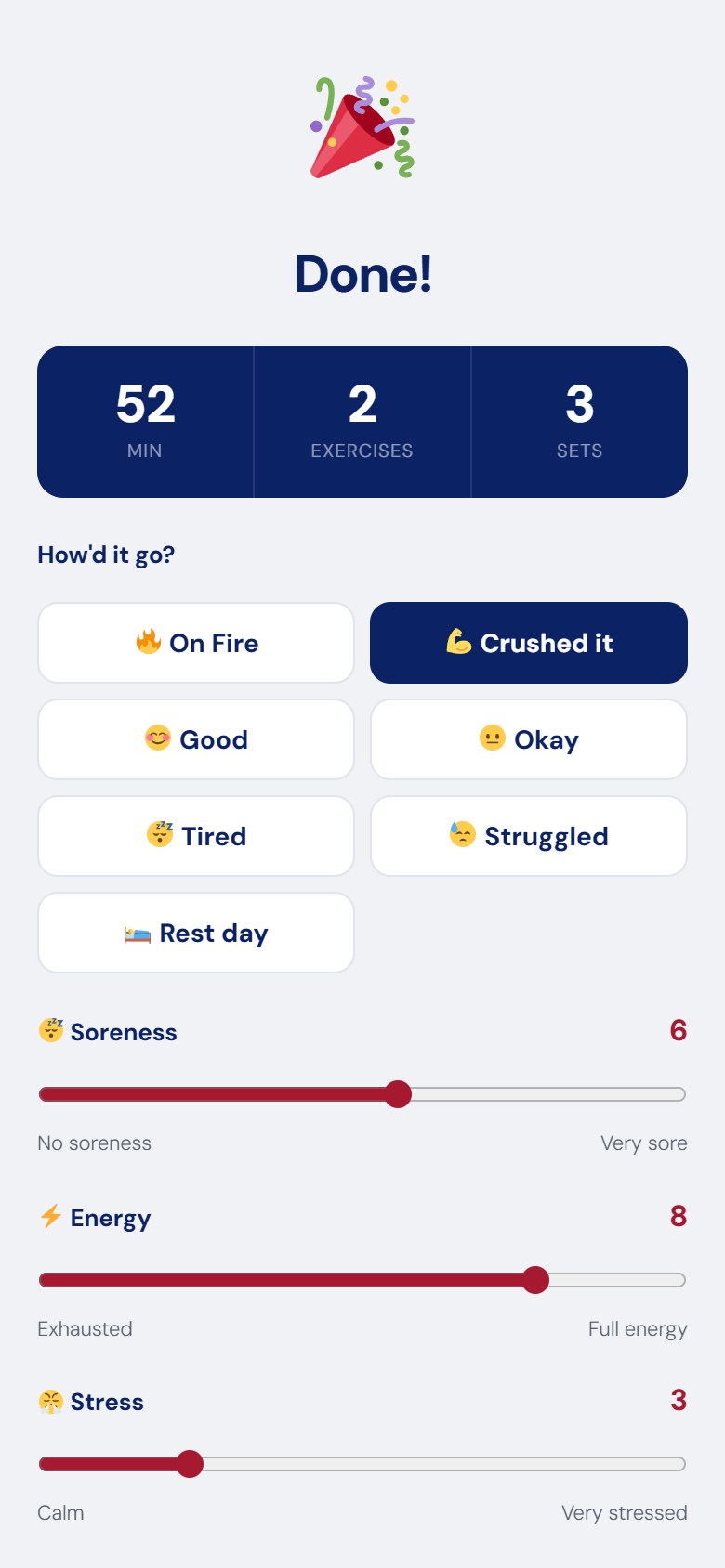
Rate how it went, soreness, energy and stress, add notes and your vlog, then publish – or open the full editor to add meals.
GOOD TO KNOW
- One-time purchase, updates included. Needs free LiftPress 2.0+.
- Included in the All Add-ons bundle ($49).
QUESTIONS
Is it a separate app?
No – it runs in your phone’s browser on your own site. Add the page to your home screen for one-tap access.
Does it work offline?
You can keep logging without signal; it uploads when you’re back online.
Can trainers use it for clients?
Yes; with Trainer Tools a trainer can open a client’s session and log it for them.
Reviews
There are no reviews yet.